
Short answer
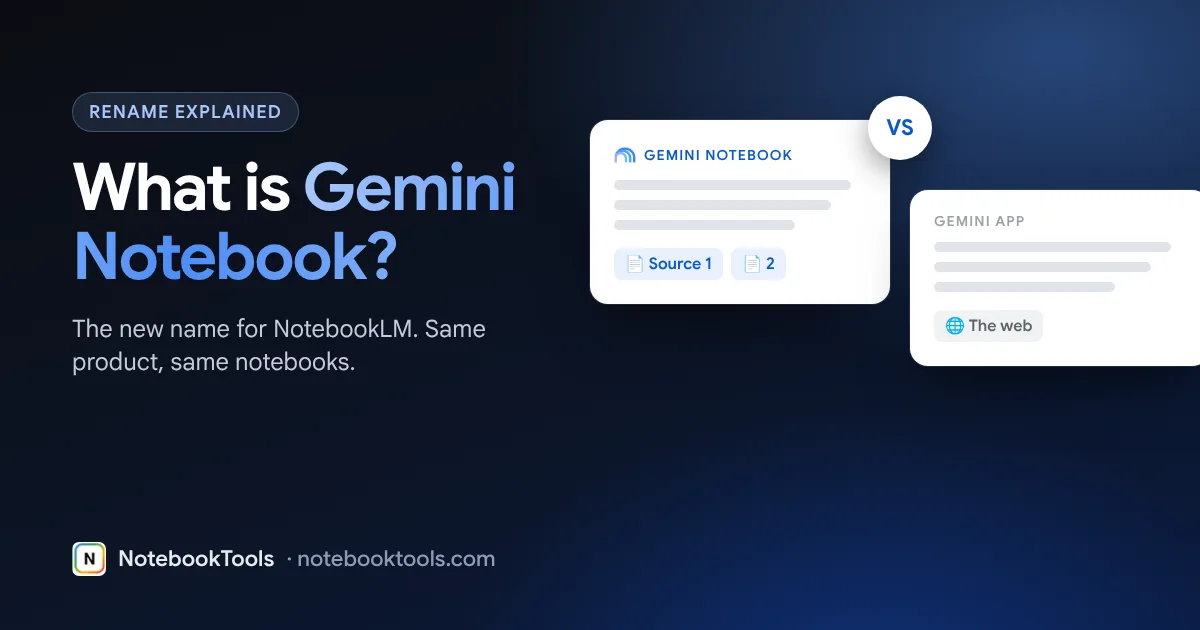
Gemini Notebook is the new name for NotebookLM. Google renamed it in 2026; it is the same product, your notebooks carried over, and it still lives at notebooklm.google.com. It is free with any personal Google account (100 notebooks, 50 sources each), and Google AI Pro ($19.99/month in the US) raises that to 500 notebooks and 300 sources per notebook.
Gemini Notebook vs NotebookLM: same product, new name
In 2026 Google renamed NotebookLM to Gemini Notebook. Nothing you built was lost in the change:
- Same product. It still answers questions from the sources you add, with citations.
- Same notebooks. Existing notebooks, sources, notes and Studio outputs carried over.
- Same address. It is still at notebooklm.google.com.
- Same limits and plans. Free and paid limits did not change because of the rename.
You will see both names online for a while. Many guides, videos and even some Google pages still say NotebookLM. When you read “NotebookLM” in a tutorial, including on this site, it applies to Gemini Notebook too.
If you search for help, try both names. Older answers on forums, YouTube and Google’s own help pages often use NotebookLM, and they still describe how the product works. Bookmarks to notebooklm.google.com keep working, and shared notebook links you sent before the rename still open the same notebooks.
What Gemini Notebook does
Gemini Notebook is a research and study assistant that works from your material. You create a notebook, add sources, and ask questions. Answers come from those sources and link back to the passages they used, so you can check them.
Sources you can add: PDFs, Google Docs, Slides and Sheets, web URLs, YouTube videos, audio files and pasted text. Each source can be up to 500,000 words or 200 MB.
Studio outputs it can create from your sources:
- Audio Overviews (podcast-style discussions)
- Video Overviews
- Slide decks
- Mind maps
- Reports and study guides
- Flashcards and quizzes
For a full walkthrough of the interface and features, see What is NotebookLM? and our beginner tutorial.
Gemini Notebook vs the Gemini app
The new name puts it next to the Gemini app, but they do different jobs. Gemini Notebook is grounded in sources you choose. The Gemini app is a general assistant.
| Gemini Notebook (NotebookLM) | Gemini app | |
|---|---|---|
| Answers come from | The sources in your notebook | The model’s general knowledge and the web |
| Citations | Links to the exact passages in your sources | Varies by answer |
| Best for | Studying, research, working through a fixed set of documents | Open questions, drafting, brainstorming, everyday tasks |
| Organized by | Notebooks, each with its own sources | Chats |
| Built-in outputs | Audio and Video Overviews, slide decks, mind maps, reports, study guides, flashcards, quizzes | Chat replies and the app’s own tools |
| Where | notebooklm.google.com | The Gemini website and apps |
Rule of thumb: if the answer should come from documents you already have, use Gemini Notebook. If you need the AI to know things beyond your files, use the Gemini app. Our NotebookLM vs Gemini comparison goes deeper.
Is Gemini Notebook free?
Yes. The free plan works with any personal Google account. Paid Google AI plans raise the limits.
| Free | Google AI Plus | Google AI Pro | Google AI Ultra | |
|---|---|---|---|---|
| Price | $0 | Paid plan | $19.99/month (US) | Paid plan |
| Notebooks | 100 | More than Free | 500 | Highest |
| Sources per notebook | 50 | 100 | 300 | 500+ |
| Size of each source | Up to 500,000 words or 200 MB on every plan | |||
| Chat and Studio use | Limits refresh every few hours, up to a weekly cap | More | More | Most |
Google changes plans and prices from time to time. Check the plan page inside Gemini Notebook for current figures. More detail: Is NotebookLM free? and NotebookLM pricing plans.
How to start with Gemini Notebook
- Go to notebooklm.google.com and sign in with your Google account. Work and school accounts need the admin to turn the service on.
- Create a notebook for one topic, course or project.
- Add sources: upload PDFs, pick files from Google Drive, paste links to web pages or YouTube videos, or paste text.
- Ask a question in the chat. Click the citation numbers to see where each answer came from.
- Open Studio to generate an Audio Overview, a study guide, flashcards or a slide deck from the same sources.
- Save what matters as notes, so you can find it later.
If you collect many links, the free NotebookTools bulk import adds web pages, open tabs and YouTube playlists to a notebook in one run. Students can see our NotebookTools for students page for study workflows.
Who Gemini Notebook is for
- Students. Add lecture slides, readings and recorded lectures, then turn them into study guides, flashcards and quizzes. See how to use NotebookLM to study.
- Researchers. Keep a notebook per project and ask questions across papers, with citations you can check against the original text.
- Teachers. Build a notebook from course material and generate quizzes or an Audio Overview for a lesson.
- Creators and professionals. Turn interviews, reports and meeting notes into summaries, slide decks and briefing documents.
It is less useful when you have no sources yet. If you need general knowledge or fresh web results, start in the Gemini app, then bring the useful pages into a notebook.
Tips for better answers
- One notebook per topic. Answers are sharper when every source is relevant.
- Prefer primary sources. Original papers, transcripts and official documents beat summaries of them.
- Ask specific questions. “Compare how sources 2 and 5 define X” works better than “tell me everything”.
- Check the citations. The answer is only as good as the passage it points to.
- Watch the source count. Free notebooks hold 50 sources. Remove duplicates before you hit the limit.
Ready-made questions are in our best NotebookLM prompts list.
Will anything else change?
Google has not removed features as part of the rename. The bigger recent change was separate: since September 2026, chat and Studio use is measured with limits that refresh every few hours up to a weekly cap. We track changes like this on our NotebookLM updates page.
FAQ
Is Gemini Notebook the same as NotebookLM?
Yes. Google renamed NotebookLM to Gemini Notebook in 2026. It is the same product, your notebooks carried over, and it is still at notebooklm.google.com.
Is Gemini Notebook free?
Yes. Any personal Google account can use it free with up to 100 notebooks and 50 sources per notebook. Google AI Plus raises sources to 100 per notebook, Google AI Pro ($19.99/month in the US) to 300, and Ultra to 500+.
What is the difference between Gemini Notebook and the Gemini app?
Gemini Notebook answers from the sources you add and cites them. The Gemini app is a general assistant that answers from the model's knowledge and the web.
Did my NotebookLM notebooks disappear after the rename?
No. Existing notebooks, sources and notes carried over to Gemini Notebook. Sign in with the same Google account to see them.
Do NotebookLM guides still apply to Gemini Notebook?
Yes. The features and limits are the same, so tutorials written for NotebookLM work for Gemini Notebook too.